In today’s digital-first economy, data is one of the most valuable assets a small business owns. Client documents, internal files, financial records, creative assets, and operational data all depend on reliable storage. As remote work and distributed teams become more common, choosing the right storage strategy is no longer a purely technical decision—it is a business-critical one.
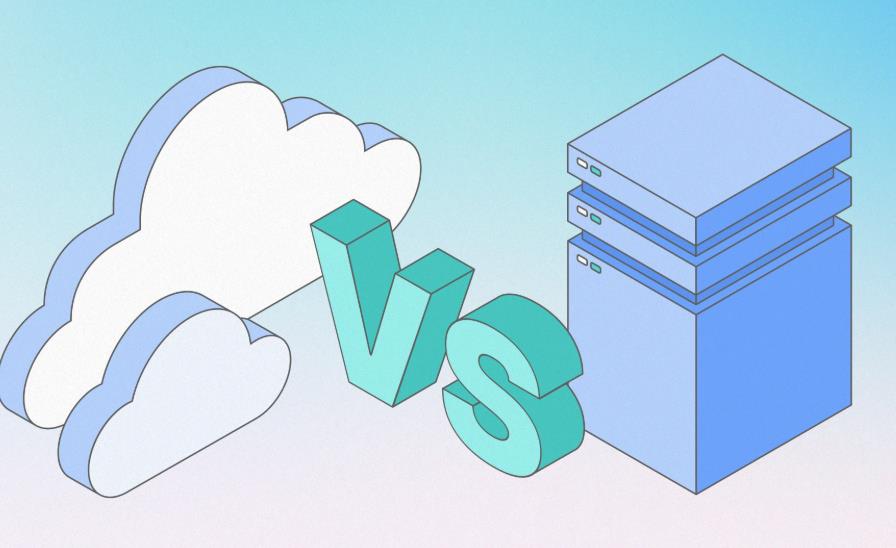
For many small businesses, the choice often comes down to two paths: cloud storage or self-hosted storage. Each approach offers distinct advantages, trade-offs, and long-term implications for cost, security, scalability, and operational control.
This article provides a practical, decision-focused comparison to help small business owners, team leaders, and IT decision-makers choose the storage model that best fits their organization.
Why Storage Decisions Matter for Small Businesses
Unlike large enterprises with dedicated IT departments, small businesses operate with tighter budgets, leaner teams, and limited tolerance for downtime. A poorly chosen storage solution can lead to:
- Unexpected and escalating costs
- Reduced team productivity
- Data access issues for remote employees
- Security vulnerabilities and compliance risks
- Vendor lock-in that limits future flexibility
Storage is not just about where files live—it directly impacts how teams collaborate, how employees access data, and how resilient the business is in the face of growth or disruption.
What Is Cloud Storage?
Cloud storage refers to data hosted on infrastructure owned and managed by third-party providers. Businesses access files over the internet, typically through web interfaces, desktop sync clients, or APIs.
Common characteristics of cloud storage include:
- No physical hardware to manage on-site
- Subscription-based pricing, usually billed monthly
- Rapid scalability as storage needs grow
- Built-in remote access and collaboration features
For many startups and small teams, cloud storage offers an attractive “plug-and-play” solution with minimal setup.
What Is Self-Hosted Storage?
Self-hosted storage means the business owns and operates its own storage infrastructure. This is often implemented using a NAS (Network Attached Storage) system running platforms such as TrueNAS or Unraid, either on-premises or in a private location.
Typical features of self-hosted storage include:
- Full ownership and control of data
- Customizable access policies and permissions
- One-time hardware investment with predictable long-term costs
- Greater responsibility for maintenance and security
Self-hosted storage appeals to organizations that value control, long-term cost efficiency, and data sovereignty.
Cost Comparison Over Time
Cost is often the deciding factor for small businesses, but it is also one of the most misunderstood.
Cloud Storage Costs
Cloud pricing is usually attractive at the beginning. Small teams can start with low monthly fees and scale as needed. However, costs tend to increase over time due to:
- Growing storage volumes
- Additional users and access licenses
- Bandwidth usage and data transfer fees
- Premium features required for business workflows
Over a three- to five-year period, monthly subscriptions can quietly exceed the cost of owning hardware.
Self-Hosted Storage Costs
Self-hosted storage requires an upfront investment in hardware. This includes the server, drives, and sometimes backup equipment. However, once deployed, costs are largely fixed.
Long-term expenses typically include:
- Electricity
- Occasional hardware upgrades
- Drive replacements
- Optional off-site backups
For businesses with steady or predictable data growth, self-hosted storage often becomes more cost-effective over time.
Data Ownership and Vendor Lock-In
One of the most significant differences between cloud and self-hosted storage is who controls the data.
With cloud storage, the provider sets the rules. Data is stored on their infrastructure, under their terms of service, pricing changes, and technical limitations. Migrating large datasets away from a provider can be expensive, time-consuming, and disruptive.
Self-hosted storage gives businesses full ownership of their data. Files remain under direct control, migration is straightforward, and organizations are not dependent on pricing or policy changes from third parties.
For small businesses concerned about long-term flexibility, data ownership is a strategic advantage.
Security and Access Management
Security is often cited as a reason to choose cloud storage, but the reality is more nuanced.
Cloud Security
Major cloud providers invest heavily in security infrastructure, including encryption, monitoring, and compliance certifications. For many small businesses, this level of protection would be difficult to replicate independently.
However, cloud security is shared. The provider secures the infrastructure, but the business remains responsible for:
- User access policies
- Password hygiene
- Employee offboarding
- Data exposure through misconfigured permissions
Self-Hosted Security
Self-hosted storage places responsibility entirely on the business. This includes:
- Network security
- User authentication
- Permission management
- Backup and recovery planning
While this requires more effort, it also allows tighter control over employee access, detailed audit logs, and customized security policies aligned with internal workflows.
Managing Employee Access and Permissions
As teams grow, managing who can access what becomes increasingly important.
Cloud platforms typically offer role-based access, but customization may be limited by service tiers. Advanced permission structures often require higher-priced plans.
Self-hosted systems allow granular control over folders, shares, and user roles. Businesses can tailor access based on department, project, or employment status, ensuring that employees only see what they need to perform their roles.
This level of control is especially valuable for organizations handling sensitive client data or regulated information.
Remote Work and Collaboration
Remote work has changed how businesses think about storage. Employees need reliable access to files from multiple locations, often across different time zones.
Cloud storage excels in ease of access. Files are available anywhere with an internet connection, and collaboration tools are often integrated directly into the platform.
Self-hosted storage can support remote work as well, but it requires thoughtful setup. Secure remote access methods such as VPNs or encrypted gateways are essential. When implemented correctly, self-hosted systems can provide fast, consistent access without ongoing per-user fees.
For distributed teams, the choice often depends on whether simplicity or long-term control is the priority.
Scalability and Business Growth
Scalability is one of cloud storage’s strongest selling points. Adding users or storage is immediate, making it ideal for rapidly growing teams.
However, this convenience comes at a cost. As the organization grows, so does the monthly bill.
Self-hosted storage scales more deliberately. Adding capacity usually means installing additional drives or expanding hardware. While this requires planning, it also allows businesses to scale in a controlled and cost-efficient manner.
For organizations with predictable growth, self-hosted storage provides a stable foundation without recurring surprises.
Reliability and Business Continuity
Downtime can be devastating for a small business.
Cloud providers typically offer high availability, but outages do happen. When they do, businesses have limited control over resolution timelines.
Self-hosted storage places reliability in the hands of the organization. This requires:
- Redundant drives
- Regular backups
- Disaster recovery planning
While this adds responsibility, it also allows businesses to design systems aligned with their tolerance for downtime and risk.
Compliance and Regulatory Considerations
Many small businesses operate in industries with data protection requirements, such as healthcare, finance, or professional services.
Cloud providers may offer compliance certifications, but businesses must still ensure proper configuration and usage.
Self-hosted storage can simplify compliance by keeping data within known locations and under direct control. For organizations concerned about data residency or regulatory audits, this can be a decisive factor.
When Cloud Storage Makes Sense
Cloud storage is often the right choice when:
- The team is small and highly distributed
- Data volume is modest and unpredictable
- Speed of deployment is critical
- There is no internal IT expertise
For startups and early-stage businesses, cloud solutions reduce friction and allow teams to focus on growth.
When Self-Hosted Storage Is a Better Fit
Self-hosted storage is often ideal when:
- Data volumes are large or growing steadily
- Long-term cost predictability is important
- The business requires strong access control
- Data ownership and privacy are priorities
Many established small businesses find that owning their storage infrastructure aligns better with their operational needs.
Hybrid Approaches: Combining the Best of Both Worlds
Increasingly, small businesses adopt hybrid strategies. Common approaches include:
- Self-hosted primary storage with cloud backups
- Cloud storage for collaboration, local storage for archives
- Tiered storage separating active and long-term data
Hybrid models offer flexibility, resilience, and cost optimization when designed thoughtfully.
How to Choose the Right Storage Strategy
There is no universal answer. The best storage solution depends on:
- Team size and structure
- Nature of the data
- Security and compliance requirements
- Budget horizon
- Growth expectations
Decision-makers should evaluate storage not as a technical detail, but as part of their broader operational strategy.
For small businesses, the choice between self-hosted storage and cloud storage is ultimately about balance. Cloud solutions prioritize convenience and speed, while self-hosted systems emphasize control and long-term efficiency.
Understanding the trade-offs allows organizations to choose a storage strategy that supports productivity, protects data, and scales with confidence.
In an era where data underpins every workflow, making the right storage decision today can shape a business’s resilience and success for years to come.