In 2026, home data storage has evolved far beyond simple external hard drives and cloud subscriptions. With the explosion of 4K/8K media, remote work, AI-assisted workflows, smart home ecosystems, and increasing concerns about privacy, more users in the U.S. are turning to a Home NAS (Network Attached Storage) as the central hub of their digital life.
A modern NAS is no longer just “a place to store files.” It is a private cloud, media server, backup system, collaboration platform, and even a lightweight home server capable of running apps, AI tools, and automation services.
This guide will walk you through everything a beginner needs to know in 2026—from understanding what a NAS is, to choosing hardware, installing drives, configuring software, and optimizing performance for long-term use.
What Is a Home NAS in 2026?
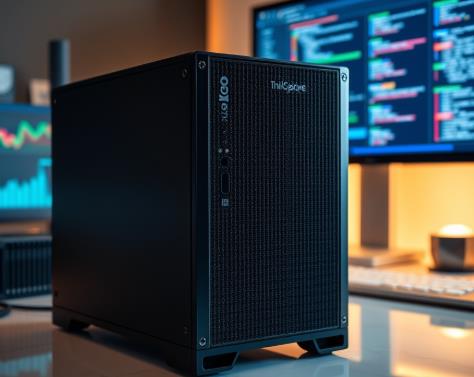
A Network Attached Storage (NAS) system is essentially a dedicated mini-server connected to your home network. It allows multiple devices—laptops, phones, smart TVs, tablets—to access, store, and manage data from a centralized location.
In 2026, NAS systems have become significantly more advanced due to three major trends:
First, AI-assisted data management. Modern NAS systems can automatically categorize photos, detect duplicates, tag videos, and even summarize documents using local AI models.
Second, hybrid cloud integration. NAS devices now seamlessly sync with services like Google Drive, Dropbox, or OneDrive while keeping a local “source of truth.”
Third, high-speed home networking. With 2.5GbE and 10GbE becoming more common in U.S. households, NAS performance has dramatically improved, enabling near-SSD cloud-like speeds.
Leading ecosystems like Synology, QNAP, and open-source platforms such as TrueNAS and Unraid dominate the market.
Why Home NAS Is Trending in the U.S. (2026 Perspective)
The rise of NAS adoption in American households is driven by practical needs rather than tech enthusiasm alone.
One major factor is rising cloud storage costs. As users accumulate terabytes of 4K videos, RAW photos, and project files, subscription-based storage becomes expensive and restrictive.
Another driver is data privacy awareness. Users increasingly prefer keeping sensitive files—tax documents, personal photos, work projects—on local hardware rather than third-party servers.
Finally, the growth of remote and hybrid work has made NAS systems essential for file collaboration, version control, and secure remote access.
NAS systems today are also significantly easier to use than in the past. Setup processes that once required Linux knowledge are now simplified into app-based workflows with guided installation wizards.
Step 1: Choosing the Right NAS Hardware
Before setting up a NAS, you must choose hardware that fits your needs. In 2026, NAS devices fall into three general categories:
Entry-Level NAS (2-Bay Systems)
Best for beginners and home users.
Typical use cases:
- File backups
- Personal media libraries
- Small smart home storage hub
Popular models include compact systems from Synology and QNAP.
A 2-bay system supports RAID 1, meaning one drive mirrors the other for redundancy.
Mid-Range NAS (4-Bay Systems)
Ideal for power users and families.
Use cases:
- 4K/8K media streaming
- Photo and video editing workflows
- Multiple user access
- Docker containers and apps
These systems often support RAID 5 or RAID 6, balancing performance and redundancy.
Advanced NAS (6–12+ Bays / Rack Units)
Designed for prosumers, small businesses, and creators.
Use cases:
- Large-scale video editing
- AI workloads
- Virtual machines
- Centralized business storage
Platforms like TrueNAS are especially popular in this category due to their robustness and ZFS file system reliability.
Step 2: Choosing Hard Drives or SSDs
The storage drives you choose are just as important as the NAS itself.
In 2026, most users still rely on HDDs for bulk storage, while SSDs are used for caching or performance-critical tasks.
HDD Recommendations
NAS-specific drives are optimized for 24/7 operation, vibration resistance, and workload durability.
Key considerations:
- 5400–7200 RPM
- CMR (Conventional Magnetic Recording) preferred over SMR
- 4TB–22TB per drive (common range in 2026)
SSD Usage in NAS
SSDs are increasingly used for:
- Metadata acceleration
- AI indexing
- Virtual machines
- High-speed caching layers
NVMe-based caching is now standard in mid-to-high-end NAS systems.
Step 3: Understanding RAID in Simple Terms
RAID (Redundant Array of Independent Disks) is a core concept in NAS setups.
Here are the most common RAID types:
- RAID 0: Fast, but no redundancy
- RAID 1: Mirroring for safety
- RAID 5: Balanced performance and storage efficiency
- RAID 6: Double redundancy for higher protection
- RAID 10: Performance + redundancy (requires more drives)
In 2026, many NAS systems also offer “hybrid RAID” solutions that automatically optimize storage distribution, especially in systems like Unraid.
Step 4: Physical Setup of Your NAS
Setting up the physical hardware is straightforward but must be done carefully.
Start by installing drives into their bays. Most modern NAS enclosures are tool-less, meaning you can slide drives directly into trays.
Once installed, connect:
- Power cable
- Ethernet cable (preferably to a router supporting at least 2.5GbE or higher)
- Optional: UPS (Uninterruptible Power Supply) for power protection
Place the NAS in a well-ventilated area. Heat management is critical because drives running 24/7 generate continuous thermal load.
Step 5: Initial Software Installation
After powering on the NAS, you will typically access it via a web browser using its local IP address.
Most systems guide you through:
- Installing the operating system
- Creating admin credentials
- Detecting installed drives
- Initializing storage pools
For example:
- Synology uses DSM (DiskStation Manager), known for its user-friendly interface.
- QNAP uses QTS or QuTS hero with ZFS support.
- TrueNAS uses a powerful web UI designed for enterprise-level control.
Step 6: Setting Up Storage Pools and Volumes
This is where your NAS becomes functional.
You will create:
- Storage pool (physical disk grouping)
- Volume (logical storage space)
Best practices in 2026:
- Use RAID 5 or RAID 6 for most home setups
- Enable automatic scrubbing (checks data integrity)
- Enable snapshotting for file recovery
Snapshots are especially important—they allow you to restore files after accidental deletion or ransomware attacks.
Step 7: Enabling Remote Access (Securely)
One of the biggest advantages of NAS is remote access.
However, security is critical. In 2026, best practices include:
- Avoid direct port forwarding
- Use VPN-based access
- Enable 2FA authentication
- Use encrypted connections (HTTPS)
Most NAS platforms include built-in secure remote access tools that tunnel connections without exposing your network.
Step 8: Installing Apps and Services
Modern NAS systems are app ecosystems.
You can install:
- Media servers (Plex or Jellyfin)
- Photo management systems
- Backup tools
- Docker containers
- File synchronization services
- Smart home integrations
This is where NAS becomes more than storage—it becomes a home server.
Advanced users often run:
- Home automation dashboards
- AI photo recognition tools
- Personal cloud alternatives
Step 9: Backup Strategy (3-2-1 Rule)
Even with RAID, backups are essential.
The 3-2-1 rule remains the gold standard:
- 3 copies of data
- 2 different storage types
- 1 offsite backup
A modern NAS can automate this by syncing to cloud storage or a second NAS device in another location.
Step 10: Performance Optimization in 2026
To maximize NAS performance:
- Upgrade to 2.5GbE or 10GbE networking
- Use SSD cache pools
- Enable hardware acceleration for media streaming
- Optimize file indexing schedules
- Separate workloads (media vs backups vs apps)
Many households in the U.S. are now integrating NAS into whole-home networking systems with mesh Wi-Fi and multi-gig routers.
Common Beginner Mistakes to Avoid
Many first-time NAS users encounter avoidable issues:
- Choosing SMR drives instead of CMR drives
- Skipping backup strategy because RAID feels “safe”
- Ignoring network speed bottlenecks
- Overloading NAS with too many services too early
- Not updating firmware regularly
Avoiding these mistakes significantly improves system reliability and lifespan.
The Future of Home NAS Beyond 2026
NAS systems are evolving toward becoming fully autonomous home data hubs.
Future trends include:
- Built-in local AI assistants for file management
- Automatic content summarization (documents, videos)
- Edge computing for smart homes
- Real-time ransomware detection
- Fully decentralized personal cloud networks
The line between NAS, mini-server, and home AI hub is rapidly disappearing.
Setting up a home NAS in 2026 is no longer a complex engineering project. It has become a practical, high-value upgrade for anyone serious about digital organization, privacy, and performance.
Whether you are a casual user backing up family photos or a creator managing terabytes of media, a properly configured NAS gives you control, speed, and independence from traditional cloud ecosystems.
By choosing the right hardware, configuring RAID properly, securing access, and planning backups intelligently, your NAS can serve as the backbone of your digital life for years to come.