In an age where digital content is growing exponentially, families are struggling with how to store and manage their growing data. From family photos and videos to important documents and entertainment media, our homes are filled with digital treasures. While cloud storage services like Google Drive, iCloud, and Dropbox provide convenient solutions, they often come with privacy concerns, subscription costs, and storage limits. This is where a home NAS (Network Attached Storage) device comes into play, offering families the perfect combination of privacy, convenience, and control over their data.
In this guide, we’ll explore everything you need to know about home NAS: what it is, how it works, its benefits, how to choose the right system, and tips for setup and maintenance.
What is a Home NAS?
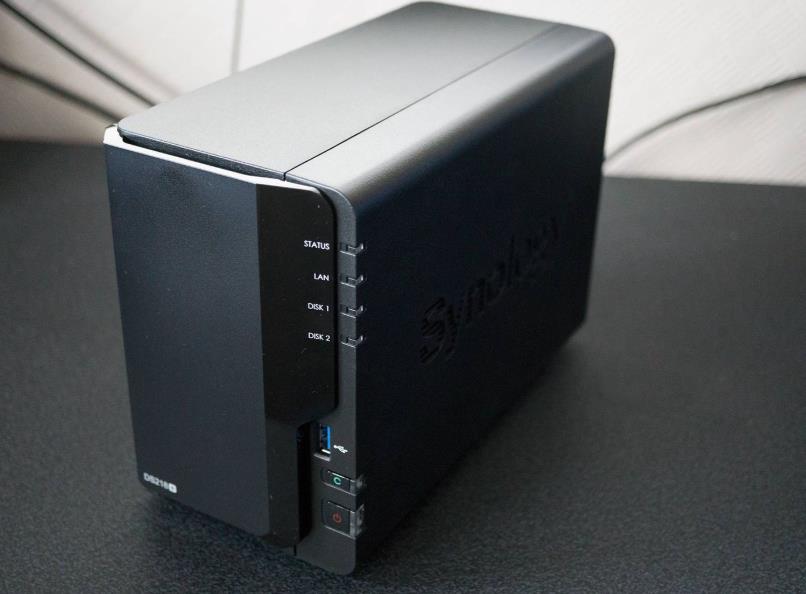
A NAS is essentially a dedicated storage device connected to your home network that allows multiple users and devices to store and access data. Unlike a simple external hard drive that connects to a single computer, a NAS is networked, meaning every device in your home can access the files it contains. Think of it as your personal cloud server hosted right in your living room.
How NAS Differs from Cloud Storage
While cloud storage is managed by external companies, a home NAS gives you full control. You own the hardware, decide who has access, and are not dependent on subscription plans or online servers. Additionally, NAS devices often offer features beyond storage, such as media streaming, automatic backups, and remote access.
Why Families Need a NAS
1. Centralized Storage for the Whole Family
In today’s digital age, every family member has devices storing photos, videos, school projects, and work files. With a home NAS, all this data can be stored in a single, centralized location. This reduces clutter, makes file management easier, and ensures nothing gets lost when devices fail or get replaced.
2. Multimedia Hub for Entertainment
Many NAS devices support media server applications like Plex or Emby, allowing your home to become a full-fledged entertainment hub. You can stream movies, music, and photos directly to smart TVs, tablets, or smartphones without the need for multiple subscriptions or external hard drives.
3. Automatic Backup Solution
NAS devices can automatically back up your computers, smartphones, and tablets. With RAID configurations, your data is protected against hard drive failures. Instead of manually copying files, backups run in the background, giving you peace of mind.
4. Remote Access and File Sharing
Modern NAS devices allow secure remote access, so you can retrieve files while traveling, share documents with colleagues, or send family photos to relatives instantly. Many NAS brands provide mobile apps for iOS and Android, making it easy to manage files on the go.
5. Integration with Smart Home Devices
For families with smart home setups, a NAS can act as a central hub for IoT devices. Security cameras can store recordings directly to NAS, home automation logs can be archived, and other smart devices can sync data efficiently.
Key Features to Look for in a Home NAS
Choosing the right NAS is crucial to ensure it meets your family’s needs. Here are the key factors to consider:
1. Storage Capacity
NAS devices vary in size and storage options. For small households, 2–4 TB may suffice, while larger families storing high-resolution videos may need 8 TB or more. Consider future growth, as digital content accumulates quickly.
2. Hard Drive Type
Some NAS devices come with NAS-specific hard drives (like WD Red or Seagate IronWolf) designed for continuous operation and better durability. Using standard desktop hard drives may work, but they are not optimized for 24/7 use.
3. Processing Power and RAM
If your NAS will stream high-definition media, run multiple apps, or handle backups for several devices simultaneously, the processor and RAM matter. More powerful NAS devices handle multitasking more smoothly.
4. Expansion Options
Check whether the NAS allows additional drives to be added. Some entry-level NAS devices have only two drive bays, while higher-end models can expand to 4, 6, or more bays. Expansion ensures your system can grow with your storage needs.
5. Software and Ecosystem
NAS devices come with software that adds functionality. Look for features like:
- File management and permissions
- Media streaming
- Cloud sync
- Backup solutions
- Mobile apps
A strong software ecosystem makes a NAS versatile and easy to manage.
6. Budget vs. Features
Home NAS systems range from affordable entry-level devices to expensive, feature-rich models. Identify your family’s priorities—whether it’s simple storage, media streaming, or advanced backup features—and choose accordingly.
Setting Up Your Home NAS
Once you’ve selected your NAS, proper setup is key to maximizing its benefits. Here’s a step-by-step overview:
1. Choose a RAID Configuration
NAS devices often allow RAID (Redundant Array of Independent Disks) setups to protect data:
- RAID 0 – Combines drives for speed but offers no redundancy.
- RAID 1 – Mirrors data across two drives; safe but halves usable storage.
- RAID 5 – Requires three or more drives; balances redundancy and storage efficiency.
- RAID 6 – Allows two drives to fail; ideal for critical data.
For families, RAID 1 or RAID 5 is often sufficient.
2. Connect to Your Network
Plug the NAS into your home router via Ethernet. This ensures all devices on the network can access it.
3. Install and Configure Software
Use the NAS’s built-in management interface to:
- Set up user accounts
- Create folders and permissions
- Enable backup schedules
- Activate remote access
4. Backup and Synchronize Devices
Install backup clients on your PCs, smartphones, or tablets to ensure all important data is regularly saved to the NAS.
5. Set Up a Media Server (Optional)
If you plan to use the NAS for streaming:
- Install Plex or similar software
- Organize media into proper folders
- Configure remote streaming if needed
6. Implement Security Measures
Protect your NAS with:
- Strong passwords for all accounts
- Encrypted remote connections (HTTPS, VPN)
- Regular firmware updates
- Optional firewall or network segmentation
Pros and Cons of a Home NAS
Pros:
- Full control over data, no third-party cloud dependency
- Multi-functional: storage, backup, media streaming, smart home integration
- Scalable storage as family needs grow
- Cost-effective over time compared to large cloud subscriptions
Cons:
- Higher upfront cost than external hard drives
- Requires some technical setup and maintenance
- Hard drives can fail; RAID is not a substitute for offsite backups
Popular NAS Brands for Home Users
- Synology
- Known for user-friendly software and strong app ecosystem.
- Ideal for beginners and families.
- QNAP
- Powerful devices with multimedia focus.
- Excellent for advanced users who want more customization.
- Western Digital My Cloud
- Simple setup, budget-friendly.
- Great for basic storage and backup needs.
- Asustor
- Flexible NAS options with good media support.
- Suitable for small households with streaming needs.
Tips for Maximizing Your Home NAS
- Organize Your Data: Create separate folders for each family member and file type.
- Regularly Monitor Drive Health: Use built-in SMART monitoring tools.
- Keep Firmware Updated: Avoid vulnerabilities and improve stability.
- Consider Offsite Backups: Even with RAID, keep critical data backed up externally.
- Use Mobile Apps: Many NAS brands provide apps to manage files and stream media conveniently.
A home NAS is more than just a storage device; it’s a personal cloud, media hub, and backup solution all in one. For families, it offers unmatched convenience, privacy, and control over digital assets. While the initial setup and investment might seem intimidating, the benefits far outweigh the costs. By choosing the right device, setting it up correctly, and maintaining good practices, a home NAS can serve your family for years, keeping your memories, files, and media safe, organized, and accessible anytime.
Investing in a home NAS is a long-term decision that transforms how families handle digital life. Whether you want to stream movies to the living room, back up your children’s school projects, or ensure your family photos are secure for generations, a NAS makes it possible—and surprisingly easy—to manage your digital world efficiently.