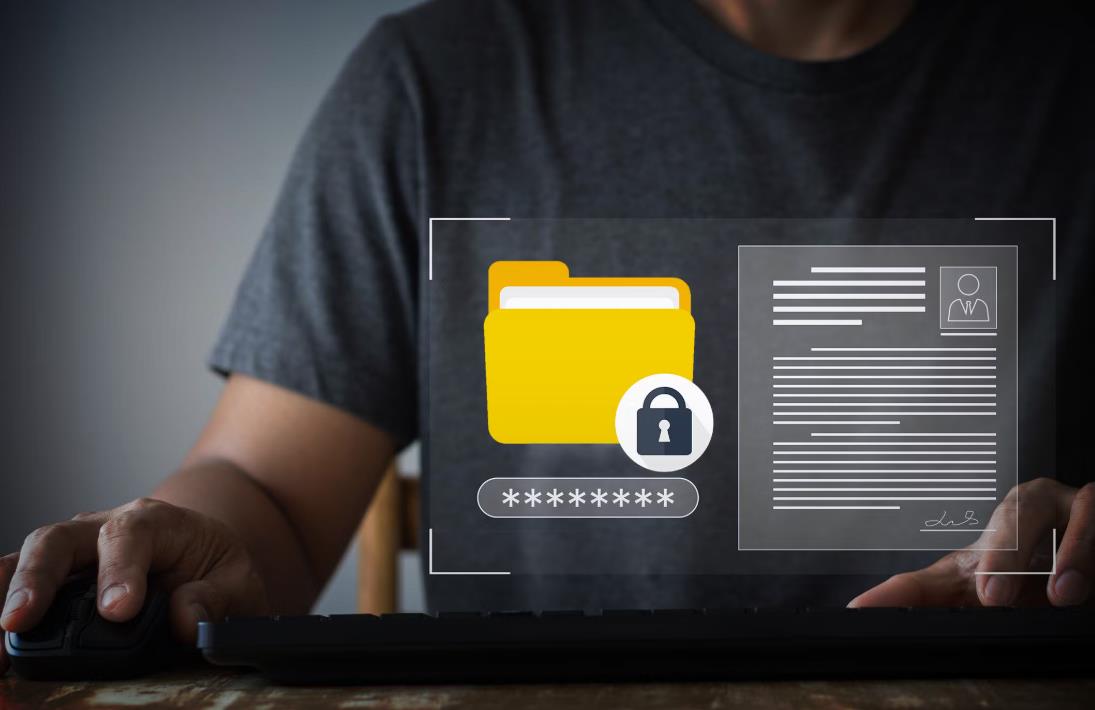
In today’s digital households, family life is deeply connected to shared devices and shared data. Photos, schoolwork, tax records, home videos, remote-work documents, medical files, and personal backups often coexist on the same computers, cloud accounts, and home servers. While this digital convenience brings immense benefits, it also introduces serious privacy and security risks when user permissions and folder sharing policies are poorly managed.
Many families unknowingly expose sensitive information to accidental deletion, unauthorized access, identity theft, or ransomware simply because “everyone uses the same account” or “the whole drive is shared.” Unlike businesses with IT departments, families often lack structured security practices—yet the consequences of data loss or privacy breaches can be just as devastating.
This guide explains, in clear, non-technical terms, how families can design effective user permissions and folder sharing policies to protect privacy, maintain trust, and ensure smooth digital collaboration in everyday life.
Why User Permissions Matter in a Family Environment
User permissions control who can see, open, edit, or delete files and folders. In a household where multiple people share devices or storage, permissions become the invisible boundary that protects personal space in a digital world.
Without proper permissions, even small mistakes can lead to major problems. A child can accidentally delete years of family photos. A guest using the home computer might access private tax documents. A teen downloading an infected file could trigger ransomware that encrypts the entire family archive. A remote worker’s employer data could become visible to other household members.
Beyond security risks, privacy issues also create emotional strain within families. Discovering that personal messages, medical records, or financial files were unintentionally accessed can damage trust just as much as a traditional breach of privacy.
User permissions are not about control; they are about clarity, fairness, and digital boundaries. When implemented correctly, they allow families to share what should be shared while protecting what must remain private.
The Hidden Risks of “Everyone Has Access to Everything”
Many households take a shortcut by allowing one shared login, one shared cloud account, or one fully open network storage space. While this may feel convenient, it creates several serious vulnerabilities.
Accidental deletion is the most common risk. Children and non-technical users often move or delete files without realizing the impact. Without proper permissions or version controls, these losses can be permanent.
Unauthorized viewing is another silent problem. Family members may unintentionally access private records simply because nothing is restricted. Over time, this erodes the sense of personal space.
Malware and ransomware spread much faster in flat permission environments. If one device becomes infected, the malware can access everything the user has permission to access. Broad permissions turn a small infection into a home-wide disaster.
Finally, poor permission management can create compliance risks for those working from home. Many employers require strict data protection standards, even on personal devices. A loosely managed family environment can put professional responsibilities at risk.
Understanding User Accounts and Permissions in Simple Terms
Before setting up secure folder sharing, it helps to understand a few key concepts without technical jargon.
A user account is a personal identity on a device, server, or cloud service. Each family member should ideally have their own account.
An administrator account has full control over settings, software installation, and all files. In most households, one or two adults should hold this role.
Permissions determine what each user can do with specific folders or files. The three most common permission levels are:
Read only, meaning the user can view files but cannot change them.
Read and write, meaning the user can view, edit, and create files.
Full control, meaning the user can manage permissions and delete protected data.
Folder-level permissions apply rules to entire folders, while file-level permissions affect individual files. For family use, folder-level permissions are almost always sufficient and easier to manage.
Private folders are only accessible to specific users. Shared folders are accessible to multiple users under defined rules.
Understanding these basics allows families to make informed decisions without needing advanced technical knowledge.
Designing a Practical Folder Sharing Policy for Families
A good folder sharing policy balances privacy with convenience. It should be simple enough for everyone to understand and consistent enough to avoid confusion.
Most families work best with four main folder categories.
Personal folders are completely private. Each family member has their own space for personal documents, schoolwork, private photos, or work files. No one else should have access unless explicitly granted.
Shared family folders contain items meant for everyone. This typically includes family photos, shared calendars, household documents, warranties, and general media libraries. These folders often use read-only access for most users and full access for designated managers.
Children’s folders are controlled environments for homework, creative projects, and downloads. Parents usually retain full access, while children receive limited write permissions.
Backup and system folders should be invisible to most users. These hold automated backups, snapshots, and system data that protect against loss and ransomware. No regular family user should have delete privileges here.
This clear separation creates intuitive digital boundaries that mirror physical ones in the home.
Setting Permissions by Family Member Roles
Rather than thinking in terms of devices, think in terms of roles within the household.
Parents or household administrators typically manage finances, legal records, system settings, and backups. They should hold administrator privileges but still use standard user accounts for daily activity to reduce risk.
Teenagers often require access to shared media, school folders, and personal storage. They usually benefit from read-write access to their own folders, read-only access to shared archives, and no access to system or financial data.
Children should have very limited privileges. Their accounts work best when restricted to their own folders and approved shared media. This protects both the child and the family data.
Guests and visiting relatives should use temporary or guest accounts. These provide internet access and limited file access without exposing personal information.
By assigning permissions based on roles rather than individuals, policies remain consistent even when family dynamics change.
Folder Sharing Policies by Data Type
Another effective approach is to structure permissions based on the sensitivity of data.
Financial and legal documents should always be restricted to adult administrators. This includes tax returns, bank statements, insurance records, property documents, and investment files.
Medical records and health information should be strictly limited to those directly involved. Even within families, privacy laws in many regions recognize medical data as highly sensitive.
Work-related files often carry confidentiality requirements. Many employers expect reasonable protection even on personal systems.
Family photos and videos are usually safe to share broadly, but editing privileges should be limited to prevent accidental loss.
Entertainment media can often be shared freely, though write access should be limited to avoid library corruption.
Downloads and temporary files should never mix with important archives. These areas are the most common infection vectors for malware.
This classification approach ensures that protection levels match the real-world sensitivity of the information.
Real-World Family Use Cases
Consider a typical four-person household with two working parents and two children. The parents maintain a private folder for finances and legal matters with full access restricted to them alone. The family photo folder is shared read-only with everyone, but only one parent can delete files. Each child has their own homework folder where they can add and edit files, while parents retain full control.
Another family might operate a home business. Their business documents are isolated into a protected workspace accessible only to work accounts. This separation ensures that household activities never mix with client data.
In multi-generational households, grandparents may have limited access to shared photos and media, while personal folders remain private for younger family members. This prevents confusion while still fostering digital connection.
These real-life structures demonstrate how permissions quietly shape a safe and functional digital household.
Data Privacy Laws and Why Families Must Care
Many families mistakenly believe that privacy regulations apply only to companies. In reality, laws such as the European Union’s GDPR, California’s CCPA and CPRA, and the U.S. Children’s Online Privacy Protection Act all influence how personal data must be handled, even at a household level in certain contexts.
GDPR classifies personal data broadly and emphasizes lawful processing, security, and protection from unauthorized access. While private households have exemptions, risk increases when data is shared externally, used for online services, or involved in remote work.
COPPA imposes requirements around children’s data, especially when connected services or cloud platforms are involved. Poor privacy management at home can inadvertently violate platform policies tied to this law.
For families working from home, employer compliance expectations often indirectly extend legal obligations into the household digital environment. Failing to protect access can create professional risk.
Even without legal penalties, the spirit of these regulations highlights a central truth: personal data deserves structured protection regardless of setting.
Common Permission and Privacy Mistakes Families Make
The most common mistake is using a single shared administrator account for everything. This removes all meaningful separation of responsibility and multiplies risk.
Another frequent error is over-sharing entire drives instead of specific folders. This grants unnecessary access to private systems and sensitive documents.
Ignoring user activity logs or version history prevents families from understanding who changed what and when. When something goes wrong, there is no accountability or recovery trail.
Weak passwords or shared passwords remain widespread in family environments. Convenience often overrides security until a breach occurs.
Finally, many families assume cloud providers fully protect their data. While providers secure infrastructure, access control is still the user’s responsibility. A weak permission structure nullifies even the strongest cloud security.
A Step-by-Step Framework for Building a Family Permission System
Creating a secure family permission system does not require advanced IT knowledge. It simply requires intentional structure.
Start by making a complete inventory of what data exists. Identify where files are stored across devices, cloud services, and home servers.
Next, classify data by sensitivity. Group files into personal, shared, restricted, and system categories.
Then define user roles. Assign each family member to a role such as administrator, standard user, child, or guest.
Apply the principle of minimum required access. Give each user only the permissions they truly need, no more.
After implementation, test access from each account to ensure rules behave as intended.
Finally, review permissions regularly. Family situations change as children grow, work situations evolve, and new data appears.
This structured method transforms permission management from guesswork into a predictable process.
Strengthening Protection Beyond Basic Permissions
Permissions form the foundation of data protection, but they should never stand alone.
Strong passwords or passphrases reduce the risk of unauthorized access. Password reuse across multiple family services should be avoided.
Two-factor authentication adds a powerful extra layer of security, especially for cloud storage and administrator accounts.
Network isolation can separate children’s devices and guest access from core storage systems, reducing exposure to malware.
Automated backups with versioning protect against both accidents and ransomware. Backups should follow the same strict permission rules as primary data.
Snapshots and immutable backups prevent even administrators from accidentally destroying critical archives.
Together, these additional layers create a defense-in-depth approach suitable for modern digital households.
Teaching Children Digital Privacy and Data Boundaries
Folder permissions alone cannot guarantee privacy if children do not understand digital boundaries. Education is just as important as technical controls.
Children should learn that not everything on a device is public, even within a family. Explaining that folders represent personal space helps them grasp abstract digital concepts.
Teaching respectful file handling fosters long-term responsibility. Children who understand the value of digital work are less likely to delete files casually.
Parents should discuss why certain areas are restricted without using fear-based explanations. Framing restrictions around safety and responsibility encourages cooperation.
Over time, gradually expanding access as children mature reinforces trust and digital maturity.
These lessons provide lifelong benefits far beyond the household environment.
Managing Cloud Storage and Shared Online Accounts
Many families rely heavily on cloud storage services. While convenient, cloud sharing introduces unique privacy challenges.
Each family member should have an individual cloud account whenever possible. Shared accounts eliminate accountability and weaken access control.
Shared folders should be used instead of sharing entire drives. This limits exposure to only the files intended for collaboration.
Public share links should be handled with caution. Links should be time-limited and access-restricted whenever possible.
Mobile devices synchronized with cloud services should follow the same permission logic as desktop environments. A lost phone with full access can expose years of private data.
Careful cloud permission management ensures that convenience does not come at the cost of security.
Ransomware and Why Permissions Are Your First Line of Defense
Ransomware is no longer just a business threat. Families are increasingly targeted because home systems often lack professional-grade security.
Ransomware spreads through user permissions. If a compromised account has write access to shared folders, the malware can encrypt everything within reach.
Limiting write privileges dramatically reduces the blast radius of an infection. Even if one device is compromised, properly segmented permissions prevent total data loss.
Read-only access to shared archives acts as a powerful passive defense. Malware cannot encrypt what it cannot modify.
When combined with offline or immutable backups, strong permission design transforms ransomware from a catastrophic event into a manageable incident.
Balancing Privacy with Family Trust
Some families worry that structured permissions feel restrictive or mistrustful. In reality, clear digital boundaries tend to reduce conflict rather than create it.
Permissions remove ambiguity. Everyone knows what they can access and what is private. This prevents awkward situations and accidental discoveries.
They also create accountability without constant supervision. When rules are clear, behavior becomes predictable.
Most importantly, permissions shift responsibility from individuals to systems. Instead of relying on memory or intention, the technology quietly enforces the family’s agreed-upon rules.
Trust thrives best when supported by thoughtful structure.
Annual Family Data Reviews and Digital Hygiene
Just as households conduct financial reviews or safety checks, digital environments benefit from periodic reviews.
Once or twice a year, families should revisit user accounts, review permissions, clean unused folders, and verify backup integrity.
Children who have grown need adjusted access. Old guest accounts should be removed. Work roles may shift.
Storage structures naturally evolve, and without review they become chaotic. Regular audits restore clarity.
These reviews also offer opportunities for education, reinforcing good digital habits for every family member.
Future Trends in Home Data Privacy and Access Control
Home data privacy is evolving rapidly. Artificial intelligence is beginning to assist with behavioral anomaly detection and automated access recommendations. Biometric authentication is replacing passwords on many devices. Zero-trust networking principles are gradually reaching consumer technology.
Encrypted personal vaults and hardware-based access control are becoming affordable for households. Smart homes will soon generate far more personal data than traditional computers ever did.
These trends will make permission management even more important, not less. Families that build strong habits today will adapt more easily to tomorrow’s technologies.
Building a Safe and Respectful Digital Home
User permissions and folder sharing policies may seem like technical details, but in reality they shape how families experience privacy, safety, and digital trust.
A well-designed permission system protects personal dignity as much as it protects files. It prevents unnecessary conflicts, reduces exposure to cyber threats, and ensures that every family member—regardless of age or technical skill—can participate safely in the shared digital environment.
Modern family life depends on digital systems as much as on physical spaces. Just as homes have doors, locks, and private rooms, digital homes deserve the same thoughtful structure.
By applying clear permission rules, educating children, respecting data sensitivity, and reviewing access regularly, any household can achieve a secure, privacy-respecting, and harmonious digital life—without sacrificing convenience or connection.