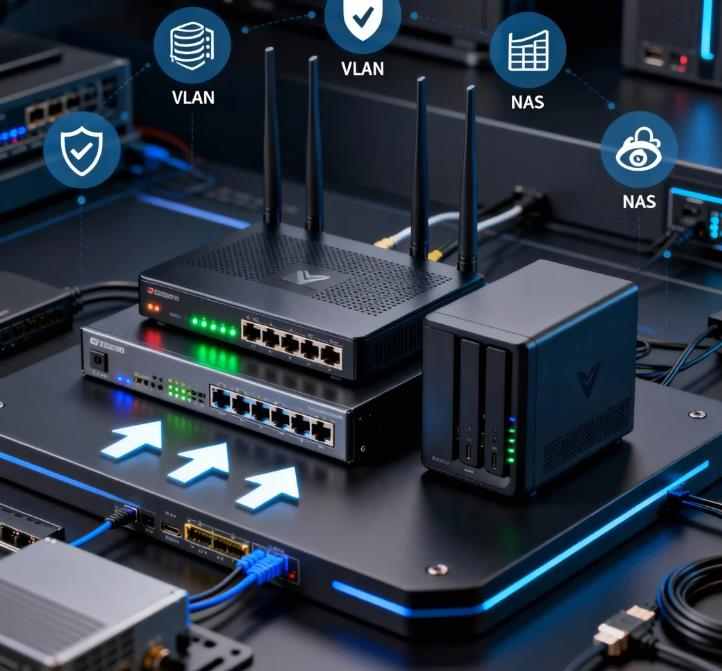
A modern home network is no longer just a Wi-Fi router and a few connected devices. With the rise of remote work, home servers, smart devices, 4K streaming, and cloud backups, today’s homes increasingly resemble small enterprise networks. Proper design is critical for performance, security, reliability, and scalability.
This guide walks you through how to design a modern home network using a NAS, a powerful router, and VLAN segmentation. We will focus on best practices, real-world use cases, hardware considerations, security design, and performance optimization—using concepts that scale from a small apartment to a large smart home.
Whether you are building your first homelab or upgrading an existing setup, this article will give you a professional blueprint you can rely on.
Why a Modern Home Network Needs More Than Just Wi-Fi
In the past, a home network typically supported a handful of devices: laptops, smartphones, maybe a printer. Today’s homes often include:
- Work-from-home PCs and laptops
- Network Attached Storage (NAS)
- Smart TVs and streaming boxes
- Security cameras and doorbells
- Smart lighting and IoT hubs
- Game consoles
- Virtual machines and containers
- Guest devices
With this many endpoints, a flat network becomes risky and inefficient. Problems commonly include:
- Poor performance due to broadcast congestion
- Security risks from insecure IoT devices
- No isolation between work and personal systems
- Limited visibility and control
- Network-wide compromise if one device is infected
A well-designed modern network solves these issues using three core components:
- A capable router with advanced firewalling
- A NAS for centralized storage and services
- VLANs for network segmentation and security isolation
Core Architecture of a Modern Home Network
A professional home network has a layered design:
- Internet Gateway Layer – Modem or ONT from the ISP
- Routing & Firewall Layer – Main router (pfSense, UniFi, MikroTik, etc.)
- Switching Layer – Managed switches with VLAN support
- Access Layer – Wired endpoints and wireless access points
- Service Layer – NAS, home server, backups, media, monitoring
This separation allows you to scale the network, apply security policies at each layer, and avoid the limitations of all-in-one consumer routers.
Choosing the Right Router for a VLAN-Based Home Network
Key Router Requirements
Not every consumer router is suitable for VLAN segmentation. Look for these features:
- Full 802.1Q VLAN support
- Stateful firewall and NAT control
- Multi-SSID to VLAN mapping
- High-performance CPU and enough RAM
- VPN server support (WireGuard, OpenVPN)
- Traffic shaping and QoS
- Regular firmware updates and security patches
Popular Router Platforms for Advanced Home Networks
- pfSense / OPNsense (x86 hardware or appliances)
- Ubiquiti UniFi Dream Machine / EdgeRouter
- MikroTik RouterOS devices
- OpenWrt-supported routers
These platforms provide enterprise-grade control at a reasonable cost.
The Role of the NAS in a Modern Home Network
A NAS is no longer just a file server. It often becomes the central digital infrastructure of the home.
Common NAS Use Cases
- File storage and synchronization
- PC and Mac backups
- Media server (Plex, Jellyfin, Emby)
- Docker container hosting
- Home surveillance recording
- Time Machine for macOS
- Private cloud services (Nextcloud, Syncthing)
- Virtual machines (on high-end NAS models)
NAS Placement in the Network
In best practice designs, the NAS is not placed on the same network as untrusted devices. It usually resides on:
- A server VLAN
- A secure trusted VLAN
- Or a management network with restricted access
This ensures that a compromised IoT device cannot directly access your private data.
Understanding VLANs in a Home Network
What Is a VLAN?
A Virtual LAN (VLAN) is a logical segmentation of a physical network. Devices on different VLANs behave as if they were on separate networks—even if they share the same switch or cabling.
VLANs provide:
- Traffic isolation
- Improved security
- Reduced broadcast traffic
- Logical network organization
- Granular firewall rule control
Why VLANs Matter at Home
In a flat network, every device can theoretically see or attack every other device. VLANs allow you to:
- Isolate insecure IoT devices
- Separate guests from trusted systems
- Protect your NAS and servers
- Enforce firewall rules between zones
- Reduce lateral movement of malware
This dramatically improves security with minimal cost.
Common VLAN Design for Home Networks
Below is a practical VLAN layout used by many advanced home users:
- VLAN 10 – Management
Routers, switches, access points - VLAN 20 – Trusted LAN
PCs, laptops, phones, tablets - VLAN 30 – Servers / NAS
NAS, homelab servers, Docker hosts - VLAN 40 – IoT / Smart Devices
Smart TVs, cameras, speakers, bulbs - VLAN 50 – Guest Wi-Fi
Visitor devices
Each VLAN has its own IP subnet and its own firewall policy.
Firewall Best Practices Between VLANs
The true power of VLANs comes from inter-VLAN firewall rules on the router.
Recommended Policy Model
- Default deny between VLANs
- Explicit allow rules where required
Example Rule Set
- Trusted LAN → Servers: Allow required ports (SMB, HTTPS, Plex)
- IoT → Trusted LAN: Deny all
- IoT → Internet: Allow common outbound ports
- Guests → Trusted LAN: Deny all
- Guests → Internet: Allow only web traffic
- Management → All VLANs: Allow administration only
This model sharply reduces attack surface.
Designing NAS Access Across VLANs
Accessing a NAS from multiple VLANs must be controlled carefully.
Best Practices for NAS Exposure
- Never place NAS directly on the guest VLAN
- Avoid exposing NAS services directly to the Internet
- Use firewall rules instead of port forwarding
- Enable encrypted protocols (SMB3, HTTPS, SFTP)
- Disable default or legacy services
Example NAS Access Model
- Trusted VLAN: Full access
- Server VLAN: Full access
- IoT VLAN: No direct access
- Guest VLAN: No access
If amplification is needed (e.g., smart TVs pulling media), use a media proxy service or carefully scoped firewall exceptions.
Wireless Design with VLANs and Multiple SSIDs
Wireless is often the hardest part of VLAN design.
Multi-SSID Strategy
Most modern access points support multiple wireless networks mapped to specific VLANs:
- Home-WiFi → VLAN 20 (Trusted)
- Smart-Devices → VLAN 40 (IoT)
- Guest-WiFi → VLAN 50 (Guest)
Each SSID maps to a tagged VLAN on the switch and router.
Wireless Security Recommendations
- Use WPA3 where possible
- Disable WPS
- Use strong per-SSID passwords
- Limit management access to the Management VLAN
- Restrict inter-SSID traffic at the router
This prevents wireless clients from bypassing VLAN isolation.
Managed Switch Configuration Best Practices
A VLAN-based network requires managed switches.
Port Types
- Access Ports – Carry one untagged VLAN (end devices)
- Trunk Ports – Carry multiple tagged VLANs (between switches, APs, router)
Best Practices
- Clearly label each switch port
- Avoid mixing untagged VLANs on trunk ports
- Use a dedicated management VLAN for all switches
- Disable unused ports
- Enable storm control and loop protection
These steps prevent accidental bridging and broadcast storms.
DHCP, DNS, and IP Address Planning
Separate DHCP Scopes per VLAN
Every VLAN should have its own:
- DHCP server
- IP subnet
- Gateway
Example:
- VLAN 20: 192.168.20.0/24
- VLAN 30: 192.168.30.0/24
- VLAN 40: 192.168.40.0/24
Centralized DNS
Use a central DNS resolver:
- Router-based DNS
- Pi-hole or AdGuard
- NAS-hosted DNS services
This allows:
- VLAN-specific filtering
- Ad blocking
- Malware protection
- Local hostname resolution
Integrating the NAS into Backup and Redundancy Strategies
Local Backup Architecture
Your NAS should serve as:
- Primary backup target for PCs
- Secondary copy of important personal data
- Media library and archive
Use:
- Time-based snapshots
- Incremental backups
- Immutable backup snapshots if supported
Off-Site or Cloud Backup
Even the best NAS can fail. Follow the 3-2-1 rule:
- 3 copies of your data
- 2 different storage types
- 1 off-site copy
Cloud sync from the NAS to encrypted cloud storage provides true disaster recovery.
Traffic Management and Quality of Service (QoS)
With many devices competing for bandwidth, QoS becomes critical.
Key QoS Use Cases
- Prioritizing video conferencing and VoIP
- Preventing NAS backups from saturating upload bandwidth
- Ensuring gaming traffic remains responsive
- Limiting guest bandwidth usage
Best Practices
- Apply QoS on the router, not the access point
- Prioritize latency-sensitive traffic
- De-prioritize bulk transfers
- Monitor bandwidth usage per VLAN
Modern routers with hardware acceleration can enforce QoS without major performance loss.
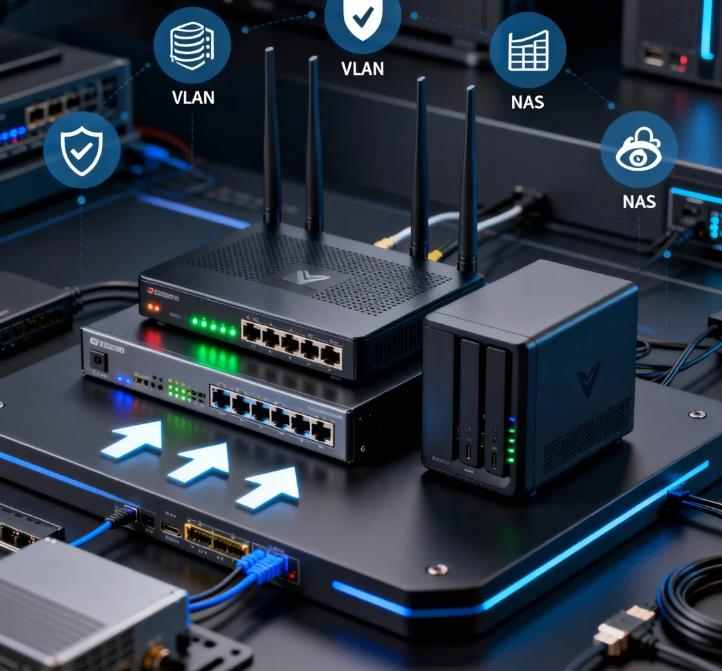
Security Best Practices for NAS + VLAN Home Networks
Router and Firewall
- Disable remote administration from WAN
- Use VPN for remote access
- Enable automatic security updates
- Audit firewall rules regularly
- Log inter-VLAN traffic
NAS Security
- Disable default admin accounts
- Use unique passwords and two-factor authentication
- Encrypt disks if supported
- Enable automatic patching
- Disable unused services and ports
Network Monitoring
- Enable traffic logging
- Use IDS/IPS if available
- Monitor unusual inter-VLAN traffic
- Review system logs regularly
A modern home network should follow many of the same zero-trust principles used in enterprise IT.
Remote Access: VPN Instead of Port Forwarding
Exposing NAS or internal services directly to the Internet is one of the biggest home network security risks.
Recommended Approach
- Use WireGuard or OpenVPN
- Authenticate users with certificates or keys
- Limit VPN clients to specific VLANs
- Apply firewall rules to VPN traffic
This allows you to access your NAS, cameras, and services securely from anywhere without opening public ports.
Performance Optimization for NAS Traffic
High-speed local storage requires efficient network design.
Key Performance Factors
- 1 Gbps vs 2.5 Gbps vs 10 Gbps links
- Jumbo frames (if supported end-to-end)
- Dedicated server VLAN
- High-quality switches
- Proper cable category (Cat6 or better)
When to Use 10GbE at Home
10GbE becomes valuable if:
- You use high-end editing workflows
- You frequently transfer large media files
- You host multiple virtual machines
- Several users access the NAS simultaneously
Otherwise, 1–2.5GbE is sufficient for most homes.
Smart Home and IoT VLAN Strategy
IoT devices are notoriously insecure.
IoT VLAN Rules
- No direct access to Trusted VLAN
- Internet access only on required ports
- Block management interfaces from IoT VLAN
- Allow only necessary traffic to local controllers
If your smart devices require access to a hub on your trusted network, create single-direction firewall rules rather than full access.
Guest Network Isolation
Guests should never share your private network.
Guest VLAN Best Practices
- Internet-only access
- Bandwidth limits
- Short DHCP lease times
- No access to printer, NAS, or internal servers
- Captive portal optional
This protects your data and reduces liability.
Monitoring, Logging, and Maintenance
Even the best-designed network needs maintenance.
What to Monitor
- Bandwidth usage by VLAN
- NAS disk health
- Backup success/failure
- VPN connections
- Firewall deny logs
Maintenance Schedule
- Monthly firmware updates
- Quarterly firewall audit
- Semi-annual NAS health checks
- Annual disaster recovery test
A modern home network should be treated like a small production environment.
Common Mistakes to Avoid
- Using unmanaged switches in a VLAN design
- Placing all devices in one network
- Exposing NAS ports directly to the Internet
- Reusing the same password across devices
- Ignoring firmware updates
- Not testing backups
- Using consumer-grade routers for advanced segmentation
Avoiding these mistakes dramatically improves reliability and security.
Example Network Design Scenario
Imagine a modern two-story home with:
- Fiber Internet
- NAS in the utility room
- Two Wi-Fi access points
- Several smart TVs and cameras
- A home office with two workstations
The design could be:
- Fiber ONT → pfSense Router
- Router → 24-port Managed Switch
- Switch → NAS on Server VLAN
- Switch → Access Points on Trunk Ports
- Workstations on Trusted VLAN
- Cameras and TVs on IoT VLAN
- Guest SSID on Guest VLAN
Firewall rules restrict all traffic except what is explicitly required. Remote access occurs only through WireGuard VPN.
This setup offers enterprise-grade security at home.
Planning for Future Growth
A good home network design should scale for:
- More devices
- Higher Internet speeds
- Smart home expansion
- Future NAS upgrades
- Additional servers or virtual machines
Plan surplus switch ports, choose a router with CPU headroom, and document your VLAN and IP scheme early.
Documentation and Labeling
Professional networks are documented. Home networks should be too.
- Diagram VLANs and subnets
- Label physical cables and switch ports
- Keep firewall rule documentation
- Store NAS configs securely
This saves enormous time during troubleshooting.
Power Protection and Physical Security
Logical security is useless without physical protection.
- Use an Uninterruptible Power Supply (UPS) for router, switch, and NAS
- Configure automatic graceful shutdown
- Secure the NAS physically
- Avoid placing critical equipment in high-humidity areas
Power outages are one of the most common causes of data corruption in home networks.
When a Consumer Router Is Still Enough
Not all homes require VLAN complexity. A simpler setup is acceptable if:
- You have fewer than 10 devices
- No NAS or server
- No IoT devices
- No remote access
- No guest network needs
However, once a NAS or dozens of smart devices enter the picture, network segmentation becomes strongly advisable.
Designing a modern home network with NAS integration, a capable router, and VLAN segmentation transforms a fragile consumer-grade network into a secure, high-performance, enterprise-inspired infrastructure.
The benefits include:
- Strong isolation between device types
- Enhanced data protection
- Better performance and stability
- Safer remote access
- Simplified troubleshooting
- Scalability for future needs
While the learning curve is steeper than using a basic all-in-one router, the long-term rewards outweigh the initial effort—especially for professionals, remote workers, content creators, and serious smart-home users.
A modern home network is no longer a luxury. For many households, it is now mission-critical infrastructure.